Introduction
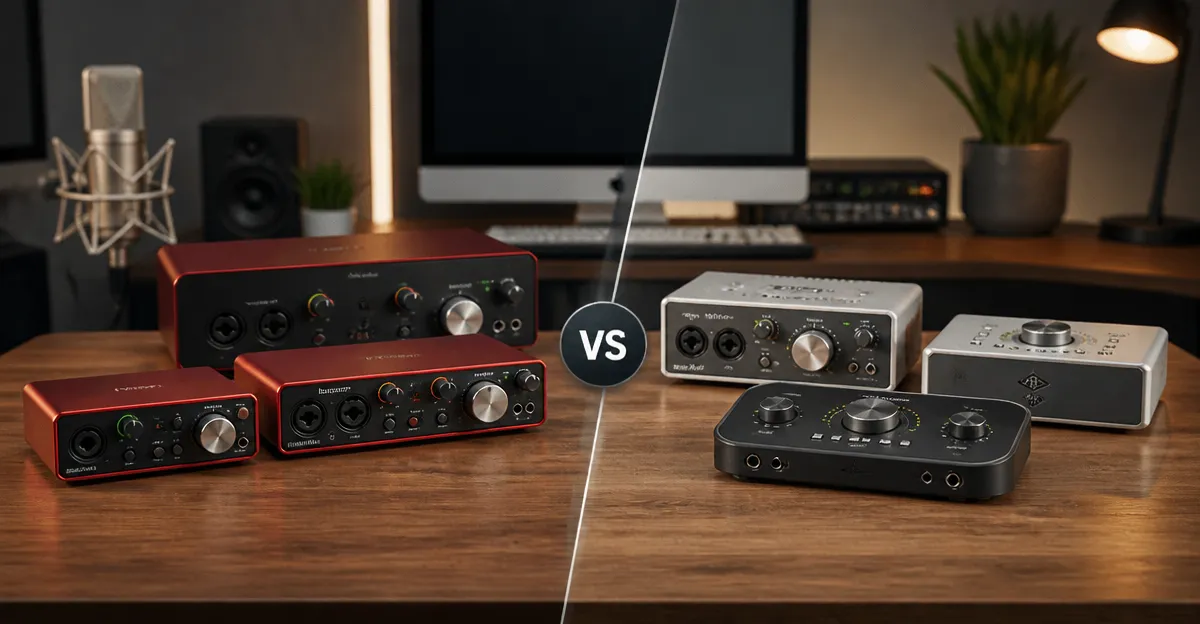
The market for compact USB audio interfaces is crowded, yet each device offers a distinct blend of price, features, and performance. This article examines five popular models: Focusrite Scarlett Solo 3rd Gen, Focusrite Scarlett Solo 4th Gen, Focusrite Scarlett 2i2 4th Gen, Universal Audio Volt 2 and Focusrite Vocaster Two. Understanding how they differ in price, specifications, and real‑world reliability helps creators select the optimal tool for music production, podcasting, or live streaming.
Individual Product Overviews
Focusrite Scarlett Solo 3rd Gen
Priced at $99.99, the third‑generation Solo provides a single upgraded mic preamp with a switchable Air mode, 24‑bit/192kHz converters and a high‑impedance instrument input. The bundle includes Pro Tools Intro+, Ableton Live Lite, Cubase LE and a comprehensive Hitmaker Expansion. Customer feedback highlights its solid build, clean output and suitability for beginners: "Excellent as a Linux sound device, outputs clean, ... well made, feels hefty and durable" and "Perfect starter interface for music or audio recording."
Focusrite Scarlett Solo 4th Gen
At $129.99 the fourth‑generation Solo adds ultra‑low‑noise mic preamps, a 120dB dynamic range and an enhanced Air mode that lifts vocal presence. It also ships with the same software suite as the 3rd Gen. Reviewers praise its plug‑and‑play USB‑C connection, lightweight chassis and reliable performance: "Connectivity is effortless — USB‑C plugs in and is recognized right away" and "The sound quality is crystal clear and professional, with low noise and great clarity."
Focusrite Scarlett 2i2 4th Gen
Costing $189.99, the 2i2 expands the channel count to two mic/line inputs, adds Auto Gain and Clip Safe, and retains the 120dB dynamic range of the 4th‑gen line. Included software mirrors the Solo bundles. Users commend its low noise, durability and intuitive controls: "The sound quality is clear and professional, and the setup is straightforward" and "Zero noticeable latency, it requires only the power from my laptop or mac."
Universal Audio Volt 2
Priced at $199.00, the Volt 2 offers two inputs, two outputs, 24‑bit/192kHz converters, and a Vintage mode that emulates UA’s classic 610 tube preamp. It ships with the LUNA DAW and a suite of UAD plug‑ins such as the LA‑2A compressor. Positive reviewers note the ease of setup and the vintage character: "The vintage mode really makes my guitar tracks sound great" and "Setup was super easy and didn’t involve any kind of scavenger hunt for the driver/firmware updates."
Focusrite Vocaster Two
At $69.99 the Vocaster Two targets podcasters with two XLR inputs, dual headphone outputs, Auto Gain, four preset Enhances and Bluetooth phone connectivity. It also provides a mute button for each mic and a TRRS line for mobile devices. Users appreciate its simplicity and feature set: "Auto Gain sets the level perfectly" and "Bluetooth pairing is effortless – hold the button, connect, and the clarity on phone calls is surprisingly good."
Head‑to‑Head Comparison
Price and Value
- Vocaster Two offers the lowest entry price at $69.99, focusing on podcast‑specific features.
- Scarlett Solo 3rd Gen provides strong value at $99.99 with a full software bundle.
- Scarlett Solo 4th Gen raises the price to $129.99 for improved preamp noise and USB‑C convenience.
- Scarlett 2i2 4th Gen costs $189.99, delivering two inputs, Auto Gain and Clip Safe.
- Volt 2 sits at $199.00, adding vintage analog tone and a premium DAW.
Features and Specifications
| Feature | Scarlett Solo 3rd Gen | Scarlett Solo 4th Gen | Scarlett 2i2 4th Gen | Volt 2 | Vocaster Two |
|---|---|---|---|---|---|
| Inputs | 1 Mic + 1 Instrument | 1 Mic + 1 Instrument | 2 Mic/Line | 2 Line/Inst | 2 Mic/Line |
| Outputs | Balanced stereo | Balanced stereo | Balanced stereo + headphone | 2‑out stereo + headphone | 2 Headphone + monitor out |
| Converter Resolution | 24‑bit/192kHz | 24‑bit/192kHz | 24‑bit/192kHz | 24‑bit/192kHz | 24‑bit/48kHz (podcast‑optimized) |
| Dynamic Range | ~110dB | 120dB | 120dB | 120dB | ~90dB |
| Air / Vintage Mode | Switchable Air | Improved Air | Air mode | Vintage 610 tube | Enhance presets |
| Power | Bus‑powered via USB‑C | Bus‑powered via USB‑C | Bus‑powered via USB‑C | External power supply required | Bus‑powered via USB‑C (also iPhone/iPad) |
| Software Bundle | Pro Tools Intro+, Ableton Live Lite, Cubase LE, Hitmaker Expansion | Same bundle | Same bundle | LUNA DAW + UAD plug‑ins | Companion app for Auto Gain & Enhance |
Customer Ratings and Feedback
All five products share an identical rating of 4.6 out of 5 stars, indicating strong overall satisfaction. The Solo 3rd Gen accumulated 29,683 reviews, emphasizing reliability and ease of use. The Solo 4th Gen, with 2,991 reviews, highlighted its lightweight design and immediate USB‑C recognition. The 2i2 4th Gen gathered 2,801 reviews, praising its low noise and durability despite packaging concerns. Volt 2 received 769 reviews, with users noting the vintage preamp character and smooth driver installation. Vocaster Two, with 369 reviews, was praised for its Auto Gain and Bluetooth integration, though a few users mentioned the rubber mute button could be more robust.
Performance and Reliability
- Solo 3rd Gen: Users report "clean output" and "solid build"; suitable for Linux environments.
- Solo 4th Gen: Reviewers describe "flawless reliability" and "no dropouts" even during intensive streaming.
- 2i2 4th Gen: Long‑term users note "zero noticeable latency" and consistent low‑distortion performance.
- Volt 2: Positive comments on reduced electrical interference compared with cheaper interfaces.
- Vocaster Two: Praised for "smooth and clear" podcast audio and "effortless" Bluetooth pairing.
Size, Power, Compatibility
All Focusrite models are bus‑powered, eliminating the need for external adapters and making them ideal for mobile recording. Volt 2 requires an external power brick and an Apple Lightning‑to‑USB camera adapter for iOS devices, which adds bulk but delivers classic analog coloration. Vocaster Two’s compact footprint (approximately 5" x 3" x 1.5") and ability to draw power from a phone make it the most portable solution for on‑the‑go podcasting.
Pros & Cons
Focusrite Scarlett Solo 3rd Gen
- Pros: Low entry price, robust software bundle, switchable Air mode, bus‑powered.
- Cons: Single input limits multi‑person recordings, older mic preamp noise floor compared with 4th Gen.
Focusrite Scarlett Solo 4th Gen
- Pros: Ultra‑low‑noise preamp, USB‑C convenience, lightweight chassis, improved Air mode.
- Cons: Still limited to one mic input, price higher than 3rd Gen.
Focusrite Scarlett 2i2 4th Gen
- Pros: Two inputs, Auto Gain and Clip Safe, professional‑grade converters, solid build.
- Cons: Higher price, packaging lacks protective foam.
Universal Audio Volt 2
- Pros: Vintage 610 tube preamp, LUNA DAW integration, extensive UAD plug‑ins, high dynamic range.
- Cons: Requires external power supply and Lightning‑to‑USB adapter for iOS, larger footprint.
Focusrite Vocaster Two
- Pros: Dual mic inputs, Auto Gain, Bluetooth phone connectivity, mute buttons, very affordable.
- Cons: Lower converter resolution (48kHz), rubber mute button durability concerns, plastic chassis.
Recommendations
If space is at a premium and the user records primarily solo vocals or guitar, the Scarlett Solo 3rd Gen delivers excellent sound at the lowest cost. For creators who require two simultaneous microphones and want automatic level setting, the Scarlett 2i2 4th Gen provides the best balance of features and reliability. Users seeking vintage analog character and a full DAW should consider the Universal Audio Volt 2. Podcast beginners on a strict budget will find the Vocaster Two the most compelling choice.
FAQ
- Do these interfaces require external drivers? All Focusrite models are class‑compliant on macOS and Windows, but optional Focusrite Control software enhances routing. Volt 2 installs a driver for optimal UAD plug‑in performance.
- Can I use the Scarlett Solo with a laptop that has only USB‑C ports? Yes, both Solo generations feature a USB‑C connection and are bus‑powered, eliminating the need for an adapter.
- Is the Air mode on the Solo 4th Gen different from the Vintage mode on Volt 2? Air mode adds subtle high‑frequency lift to vocals and guitars, whereas Vintage mode emulates a tube preamp and introduces harmonic warmth.
- Which interface offers the lowest latency? All Focusrite devices report sub‑millisecond latency when using the appropriate driver; Volt 2 latency is comparable but may be slightly higher due to the UAD processing chain.
- Can the Vocaster Two be used for music recording? While it can capture two microphones, its 48kHz converter limit and podcast‑oriented features make it less ideal for high‑resolution music production.
- Do any of these units support iOS devices? Volt 2 supports iPad and iPhone with an external power supply and Lightning‑to‑USB adapter; Vocaster Two can be powered directly from an iPhone via USB‑C.
- What warranty coverage is provided? Focusrite offers a three‑year warranty on all Scarlett models; Universal Audio provides a one‑year warranty on Volt 2.
Conclusion
The five interfaces reviewed each excel in distinct scenarios. The Scarlett Solo 3rd Gen remains an unbeatable entry point for solo musicians on a modest budget. The Solo 4th Gen refines that formula with quieter preamps and modern connectivity. For dual‑input flexibility, the Scarlett 2i2 4th Gen stands out as the most versatile. Professionals seeking analog warmth should look to the Volt 2. Finally, podcasters on a tight budget will find the Vocaster Two delivers exactly the features they need without unnecessary complexity. The final recommendation depends on the user’s primary constraint—budget, input count, vintage tone, or portability.
Frequently Asked Questions
What are the main differences between the Focusrite Scarlett Solo 3rd Gen and 4th Gen?
The 4th Gen adds a higher‑resolution 24‑bit/192 kHz converter, improved preamp circuitry, and a USB‑C connection, while the 3rd Gen remains at 24‑bit/96 kHz with USB‑A.
Is the Universal Audio Volt 2 better suited for podcasting than the Focusrite Scarlett 2i2 4th Gen?
Volt 2 offers a built-in DSP compressor and a slightly lower latency, which can benefit spoken‑word recording, but the 2i2 provides two combo inputs and higher max gain, making it more versatile.
How does the Focusrite Vocaster Two compare to the Scarlett Solo models for live streaming?
Vocaster Two includes dual XLR inputs with built‑in DSP effects and a headphone monitor mix, features the Solo lacks, making it a more complete streaming solution.
Do any of these interfaces require specific drivers for low‑latency performance?
All listed models work with class‑compliant drivers on macOS and Windows, but installing Focusrite’s Control or Universal Audio’s Console software can further reduce latency and unlock extra features.
Which interface offers the best value for a beginner music producer on a tight budget?
The Focusrite Scarlett Solo 3rd Gen, at $99.99, provides a solid mic preamp and reliable performance at the lowest price point among the five.